If your learners can’t see the chart, they can’t learn from it.
I’ve spent more than 25 years teaching Lean Six Sigma, and accessibility is an issue I wish I had addressed earlier.
Our field depends on visuals. We use control charts, Pareto charts, fishbones, and value stream maps. When we build them without thinking about accessibility, we lock people out without meaning to.
Some common problems:
· Different formats, color schemes, and layouts for every slide. It’s confusing and tiring for everyone.
· Charts with no description. A screen reader can’t interpret a histogram. Alt text that states the takeaway, like “Process is centered but variation exceeds spec limits,” helps everyone.
· Crowded slides and tiny fonts. If it’s hard to read from the back row, it’s hard to read on a phone or for someone with low vision.
This matters even more in healthcare, where many of my students work. We ask teams to design processes around every patient. Our training should meet the same standard for every learner.
That’s why I design accessibility into my Green Belt and Black Belt training materials. Every chart and image has alt text, colors are high contrast, and each slide has a consistent title and a set reading order, so screen reader users move through the content just as a sighted learner would. The training also uses JASP, free statistical software, so cost doesn’t keep anyone from practicing.
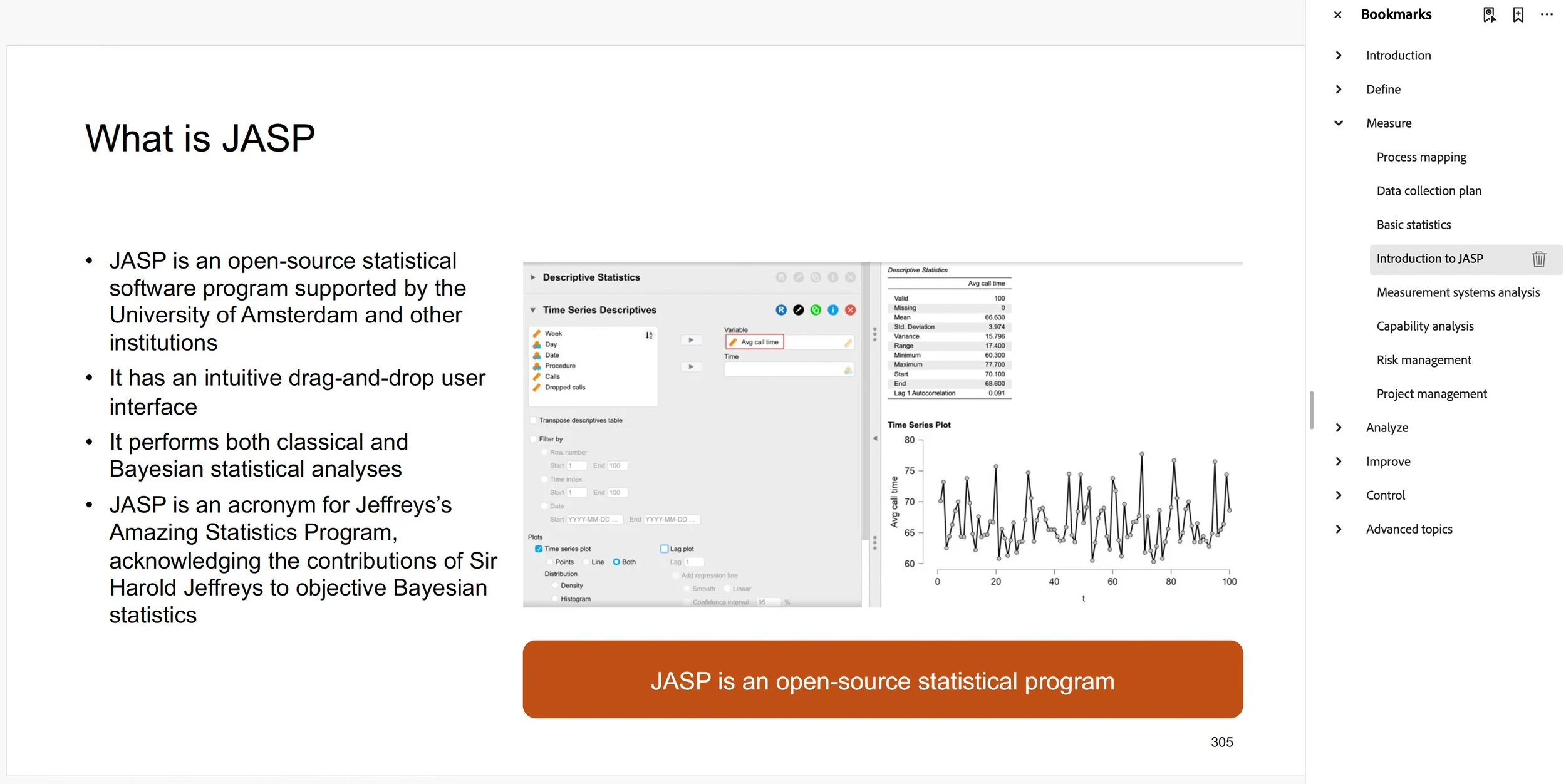
Accessibility isn’t only for people with low vision. It’s good for everyone. High-contrast slides are easier to read, consistent titles help every learner find their place, consistent layout guides people through the slides, and alt text that states the takeaway reinforces the lesson for the whole class.
Think of accessibility as a quality characteristic. If a defect is anything that keeps the customer from getting value, then inaccessible training materials are defects.
Want to see what accessible LSS training looks like? Request a free sample module.